Not every CMS belongs on every website. The same platform that powers a solo blogger’s site can also run a global media operation — or quietly limit it. This guide breaks down the leading content management systems of 2026 by use case, covering everything from market share leaders to headless options, so you can match the right platform to the actual requirements of your project.
The State of the CMS Market in 2026
The CMS market has changed at the edges, not the center. WordPress holds approximately 62.7% of the CMS market in 2026, placing it far ahead of any competitor. Nothing on the horizon threatens that position in the near term.
Below WordPress, the story is more interesting. Shopify grew from 0.1% market share in 2014 to 5.1% today, while Wix went from 0.1% to 4.2% over the same period. Both platforms grew by targeting a problem WordPress doesn’t solve natively: getting a working site up in a few hours without touching a config file or installing plugins. The tradeoffs are real, and this guide covers them in detail.
At the enterprise tier, the numbers look different. Among the world’s top 5,000 domains, open-source platforms including WordPress and Drupal claim more than 51% of usage, while Adobe and Contentful together hold roughly 24% of that premium segment. High-traffic infrastructure demands CMS platforms built for it.
One category growing fast enough to track separately: headless CMS. The headless CMS market is projected to expand from roughly $3.94 billion in 2026 to $22.28 billion by 2034, driven by demand for content delivery across web, mobile, and emerging AI channels.
Does My Business Really Need a CMS?
If your business has a website, you already have a content management problem. It might be small right now: updating your hours, swapping out a service description, adding a new team member. But those small updates add up, and the longer you rely on a developer or a static HTML file to make them, the more your site falls behind the actual state of your business.
A CMS puts content control where it belongs: with the people who know the business. Your marketing coordinator can publish a blog post. Your operations manager can update a pricing page. You can swap out a homepage banner before a sale goes live, without opening a support ticket or waiting on anyone else.
For small businesses specifically, that operational independence matters. You’re not running a 10-person content team. Every hour spent waiting on a site update is an hour your site isn’t doing its job.
Most modern CMS platforms also now include AI-assisted tools for drafting content, generating meta descriptions, and surfacing SEO recommendations during the editing process. These aren’t replacements for strategy, but they reduce the time it takes to go from idea to published page.
The bigger question isn’t whether you need a CMS. It’s whether the one you’re on, or considering, is built to grow with you.
What Businesses Should Consider Before Choosing a CMS
The platform decision is easier once you’ve defined what your site actually needs to do. Most small businesses skip this step and evaluate CMS features in the abstract, which leads to either overpaying for capabilities they’ll never use or underbuying and facing a migration 18 months later.
Start here.
What kind of content will you publish, and how often?
A brochure site with five static pages has different requirements than a site publishing weekly blog posts, running campaign landing pages, and managing a product catalog. Before you compare platforms, answer these questions honestly:
Will you publish blog content or articles on a regular schedule?
Do you need landing pages for promotions or campaigns?
Are you managing a product catalog, event listings, or a media gallery?
Do you plan to add e-commerce, even if not immediately?
Will more than one person be creating or editing content?
If most of your site is static and updated a few times a year, a simple CMS is sufficient. If your site is a core part of daily operations, you need a platform built for it.
Who will manage the site day to day?
A CMS chosen by a developer for a client who will manage it alone after handoff often creates problems within months. The developer optimizes for flexibility; the business owner needs simplicity. Look for strong visual editing tools, reusable page templates, and, if multiple contributors are involved, workflow controls that let you assign roles and require approvals before content goes live.
What tools does it need to connect to?
Your CMS doesn’t operate in isolation. Most small businesses run some combination of a CRM, an email marketing platform, an analytics tool, and possibly a scheduling or e-commerce system. Integration quality varies significantly across platforms. Confirm that the CMS you’re evaluating has native integrations or documented API connections for the tools you already use, not just the ones it markets on its homepage.
What will it actually cost over two years?
The subscription or license price is rarely the full number. Factor in hosting, premium plugins or themes, any developer time required for initial setup, and the realistic cost of your first redesign or migration. A platform that costs $30 per month but requires $3,000 in developer setup and locks you into a proprietary structure has a different total cost than it appears. Build out a 24-month estimate before comparing options on price alone.
What Makes a Great CMS?
The right CMS fits your team’s workflow, your traffic requirements, and your budget simultaneously. Most platforms do one or two of those well. Before committing, evaluate every option against these five criteria.
Ease of use. If every content change requires a developer, your marketing team is bottlenecked before the day starts. A good CMS gives non-technical editors a visual interface to update text, swap images, and publish pages without touching code. How much developer involvement routine updates require is a practical question worth asking during any evaluation.
Scalability. Traffic grows, content operations expand, and integrations accumulate. A CMS that handles 10,000 monthly visitors cleanly may buckle under 500,000 without architectural changes. Evaluate how the platform handles increased load, and whether scaling up requires migrating to a new tier, a new host, or a new platform entirely.
Security. Role-based access control, regular security patches, and compliance with data privacy regulations are baseline requirements, not premium features. For regulated industries, check whether the CMS supports audit logging and whether its update cycle is active enough to respond to discovered vulnerabilities quickly.
Integration compatibility. Your CMS rarely operates in isolation. It connects to analytics platforms, CRMs, e-commerce systems, and marketing tools. API-first platforms handle those connections cleanly. Closed, proprietary systems often require workarounds, third-party middleware, or custom development to connect the same tools.
Total cost of ownership. The license or subscription price is the starting point, not the full number. Factor in hosting, premium plugins or extensions, developer time for setup and maintenance, and training for your editorial team. Open-source platforms with no license fee often carry higher operational costs than their hosted counterparts. Neither model is automatically cheaper; the math depends on your team size and technical resources.
Top CMS Platforms for 2026 by Category
WordPress
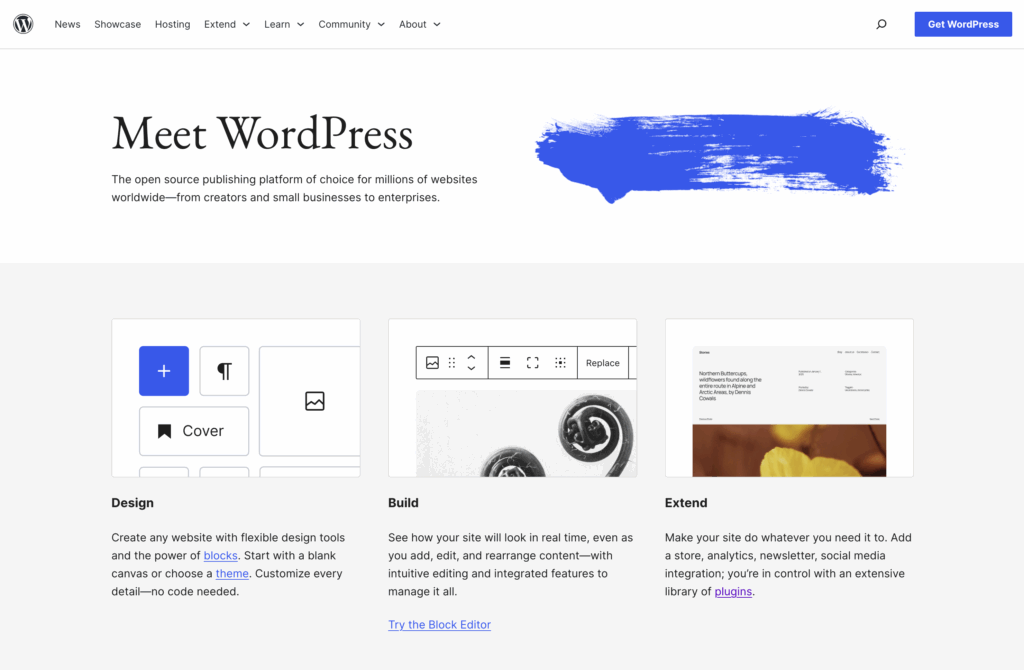
WordPress is the default answer for most websites, and often the right one. As of early 2026, WordPress powers 42.6% of all websites globally, with more than 605 million sites running on the platform. That scale has compounding advantages: more themes, more plugins, more developers familiar with the stack.
The ecosystem is hard to overstate. WordPress offers over 70,000 plugins and 30,000 themes. If your site needs e-commerce, membership gating, multilingual support, or a custom booking system, there is almost certainly a plugin for it. Most problems have been solved before.
Among the top 10,000 websites by traffic, WordPress accounts for roughly 58% of CMS usage, while platforms like Wix and Shopify are nearly absent at that traffic level. That single data point should recalibrate assumptions about WordPress being “only for small sites.”
Best for: Agencies, content-heavy sites, news publishers, businesses that need full ownership and control of their infrastructure. Also the most portable option if you ever need to change hosting providers, since your site runs on standard LAMP stack components.
Hosting note: WordPress performance varies significantly based on your server stack. UltraStack (NGINX + PHP-FPM + OPcache + Redis) eliminates the configuration guesswork that leads to slow WordPress installs on generic shared hosting.
Improve the performance and security of your WordPress website with our WordPress VPS Hosting plans. Featuring blazing fast servers with advanced caching, 99.99% uptime, and a robust toolkit developed by WordPress experts.
 Improve Core Web Vitals Free SSL & Dedicated IP Advanced Server Caching US & EU Data Centers
VPS for WordPress
Shopify and WooCommerce
For online retail, these two platforms dominate different parts of the same market.

Shopify is the hosted option. You pay a monthly fee and get managed infrastructure, a secure checkout, fraud analysis, and a marketplace of over 8,000 apps. Shopify holds a 29% share of the e-commerce CMS market and generated a 24% year-over-year revenue increase by the end of 2024. That growth reflects merchants choosing operational simplicity over configuration control.
The tradeoff is real. Shopify’s transaction fees add up, and the platform dictates your checkout flow, your URL structure, and how far you can push custom development. For straightforward retail, that constraint rarely matters. For a brand with unusual checkout logic or heavy content-commerce integration requirements, it may.
WooCommerce takes the opposite approach. WooCommerce runs roughly 37% of all online stores worldwide and powers about 6.5 million active stores. It’s free, open source, and deeply integrated with WordPress. Since your store runs on self-hosted infrastructure, you control every piece of the stack: payment gateways, checkout flow, URL structure, and performance tuning.
The operational overhead is higher. A WooCommerce store requires active maintenance: PHP version updates, security patching, plugin audits, and periodic performance work. Many WooCommerce operators underestimate this when they start, then discover it during a traffic spike or a security incident.
Best for Shopify: Brands prioritizing fast launch, operational simplicity, and proven retail features.
Best for WooCommerce: Businesses with development resources, existing WordPress infrastructure, or customization requirements that Shopify’s ecosystem doesn’t cover.
Wix and Squarespace
Both platforms solve the same problem: getting a site live quickly without hiring a developer. Drag-and-drop editing, integrated hosting, and template libraries make either a reasonable choice for a new small business website.
Wix currently holds 4.2% of the global CMS market. Squarespace holds approximately 3.2% of the global CMS market and powers around 5.5 million live websites. Both have grown steadily as new website owners prioritize speed and simplicity over control.
The limitation worth knowing upfront: Both platforms are fully proprietary. Your content, templates, and site structure live inside their ecosystem. If you need to move to a different hosting provider, or migrate to WordPress as your business grows, the process is painful. There is no standard export format that preserves your design or data intact.
Wix plans range from $4.50 to $35 per month. The flexibility found in open-source CMS platforms like WordPress is absent, which can create problems when scaling.
Squarespace skews toward professional service providers, portfolios, and small e-commerce, where its design templates carry weight. Wix skews toward individuals, local businesses, and first-time site owners.
Best for: Businesses that need a polished website quickly, have no development resources, and are unlikely to need custom functionality or a hosting change in the next few years. For anyone with growth ambitions, building on an open-source platform from the start avoids a painful migration later.
Drupal and Adobe Experience Manager
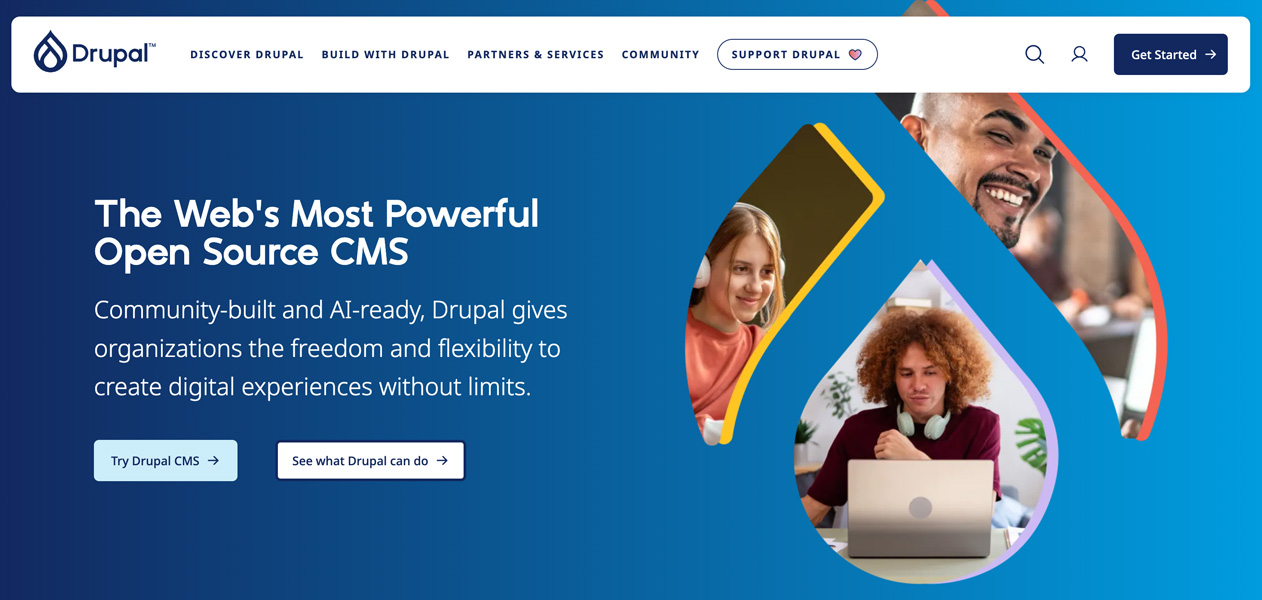
Drupal occupies a specific role: enterprise-grade sites where security hardening and access control are requirements, not preferences.
Drupal holds roughly 1.1% of the overall CMS market but accounts for 6 to 7% among the top 10,000 websites by traffic. That concentration reflects the platform’s actual strength. Government agencies, healthcare systems, and large universities run on Drupal because its permission model and security architecture are built for environments where a breach carries serious consequences.
The tradeoff is a steeper learning curve and a smaller developer pool than WordPress. Drupal development costs more per hour and takes longer to configure for non-technical users. That’s acceptable when the security model justifies it.
Adobe Experience Manager (AEM) operates at a different price point entirely. AEM is an enterprise suite combining a CMS, digital asset management, and personalization tools. Licensing starts in the six-figure range annually. Adobe holds significant share among top enterprise domains. The platform makes sense for large organizations running content operations across multiple brands, regions, and channels where the total addressable value justifies the cost.
Best for Drupal: Government, higher education, healthcare, and regulated industries.
Best for AEM: Global enterprises with dedicated digital experience teams and budget to match.
HubSpot CMS
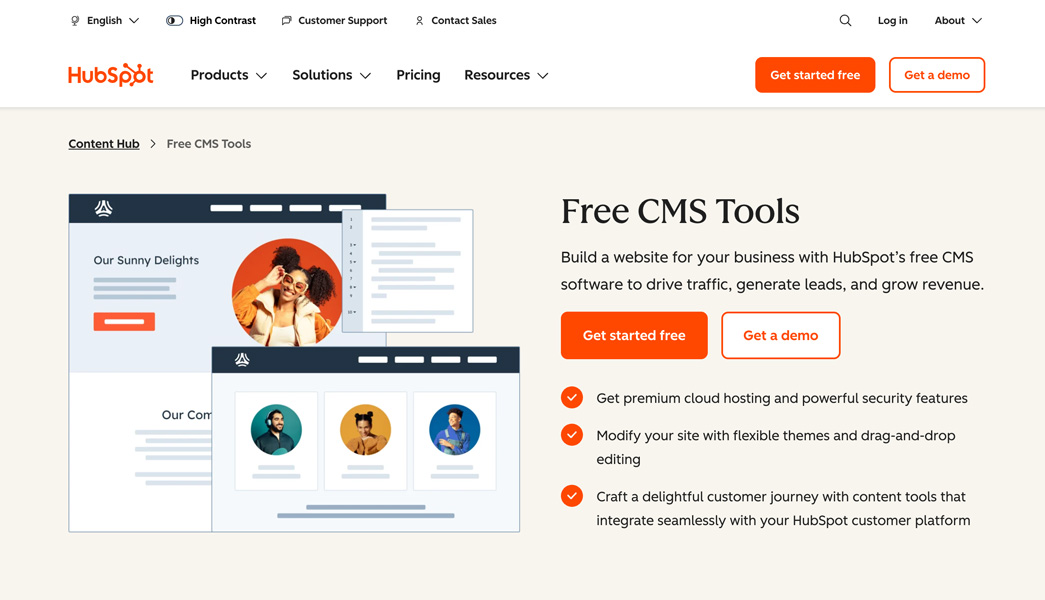
HubSpot CMS Hub is a different category of tool. It’s not designed to maximize site flexibility. It’s designed to make content work harder for marketing and sales pipelines.
The platform integrates natively with HubSpot’s CRM, marketing automation, and analytics tools. Every page view ties to contact records. Smart content shows different copy to different visitor segments. Conversion tracking happens without a third-party tag manager.
The cost reflects that integration. HubSpot CMS pricing starts at several hundred dollars per month for the marketing-ready tier, and full CRM integration runs higher. For a team that already uses HubSpot CRM and is generating enough lead flow to justify the investment in conversion optimization, the economics work. For a small business site, they usually don’t.
Best for: B2B marketing teams, demand generation programs, and organizations that treat their website as a revenue-generating asset tied directly to CRM data.
Headless CMS Platforms: Contentful, Sanity, and Strapi
Headless CMS platforms separate content storage from content presentation. Instead of generating HTML pages, they expose content through an API that any frontend can consume: a React application, a mobile app, a digital kiosk, or a voice interface. This gives development teams full control over performance and user experience without being constrained by a traditional CMS theme layer.
The category has matured. Organizations are increasingly treating headless CMS as critical infrastructure for enterprises, not an experimental technology choice.
Contentful is the enterprise default. It’s fully managed SaaS with a global CDN, robust content modeling, and environment management for staging and production workflows. Contentful excels in the enterprise segment for its content governance model and native integrations with platforms like Vercel, Netlify, and Gatsby. Pricing scales quickly past the free tier; the Team plan runs $300 per month.
Sanity treats content as structured data rather than pages. Sanity’s Content Lake enables real-time data capabilities including live content updates and simultaneous editing, which are architecturally impossible on self-hosted systems. Its Studio is built with React and can be customized to match complex editorial workflows. The free tier is generous; pricing scales by API usage and team size.
Strapi is the open-source option. Strapi installs on your own infrastructure, with auto-generated REST and GraphQL APIs from your content models and full control over data sovereignty. Teams that require strict compliance requirements, such as banking or healthcare, gravitate toward Strapi for its self-hosted flexibility. Strapi is free when self-hosted; Strapi Cloud starts at $29 per month.
Research indicates that self-hosted deployments require 45 to 48% more operational time than managed platforms, with security patching alone consuming significant developer hours annually. That overhead is acceptable for teams with DevOps resources. For smaller teams, a managed option usually makes more sense.
Best for headless: Any project delivering content across multiple frontend surfaces, teams that need full frontend performance control, or organizations building custom editorial experiences that a traditional CMS theme layer would constrain.
Developer-Focused Options: Webflow, Ghost, and Wagtail
Webflow gives designers direct control over HTML and CSS through a visual interface without writing code. The output is custom HTML, not WordPress templates. It fills a gap: high design fidelity without requiring front-end development. Webflow also includes integrated hosting, which removes infrastructure management from the equation. The tradeoff is a proprietary platform with per-seat pricing that grows with team size.
Ghost is a publishing-first CMS built in Node.js. It’s faster out of the box than most WordPress installs, with a built-in membership and subscription system. Ghost suits independent publishers and newsletter operators who want a clean writing experience without the operational complexity of a full WordPress stack. It runs on self-hosted infrastructure or Ghost’s own managed service.
Wagtail is the CMS of choice for Python developers. Built on Django, it’s used by organizations like NASA, Google, and the National Health Service in the UK. For development teams already running Python infrastructure, Wagtail fits naturally into the stack. For everyone else, the Python requirement creates an unnecessary barrier.
How to Choose the Right CMS in 2026

By this point, you’ve seen what each platform does well and where it runs into walls. The decision gets clearer once you stop comparing feature lists and start with four concrete questions about your own situation.
What does your site actually need to do? A business publishing weekly content, running campaign landing pages, and managing a product catalog has different requirements than one with five static pages updated twice a year. If your website drives revenue directly, whether through e-commerce, lead generation, or a membership model, the CMS running it is production infrastructure. Treat the decision accordingly.
Who manages it after launch? A platform chosen by a developer for a client who maintains it solo often becomes a problem within months. If your site will be managed by non-technical staff, strong visual editing and reusable templates matter more than architectural flexibility. If multiple contributors are involved, look for role-based permissions and approval workflows before you sign up for anything.
What tools does it connect to? Your CMS touches your CRM, your email platform, your analytics, possibly your scheduling or payment systems. Integration gaps get expensive to close after the fact. Verify native connections for the tools you already use, not just the ones on the platform’s marketing page.
What will it cost over 24 months? The subscription price is the starting point. Add hosting, premium plugins or themes, developer setup time, and a realistic estimate for your first redesign or migration. Open-source platforms with no license fee often carry more operational overhead than their hosted counterparts. Proprietary platforms with low monthly rates can lock you into a structure that requires a full rebuild when your business outgrows it. Neither model is automatically cheaper; the math depends on your team’s technical capacity and how much you expect the site to change.
One factor that cuts across every platform and every budget: hosting performance shapes CMS performance. The same WordPress install that crawls on underpowered shared infrastructure runs cleanly on a managed VPS with Redis caching and PHP-FPM properly configured. Choosing the right CMS is half the decision. The infrastructure it sits on determines whether that platform delivers what it’s capable of.
For most small businesses, WordPress on managed hosting remains the most practical starting point: full ownership of your content and data, a proven ecosystem, and infrastructure you can scale without replatforming. For growing e-commerce operations, WooCommerce on a VPS or Shopify depending on your tolerance for operational complexity. For agencies managing multiple client sites, reseller hosting paired with WordPress gives you consistent tooling and the ability to isolate each account cleanly. For enterprises or teams delivering content across multiple channels, a headless CMS on dedicated infrastructure.
The right platform for your business is the one that fits how your team works today and has a clear path to where you’re going in two years. If you’re not sure where your current setup lands, that’s worth finding out before you commit to anything new.
Ready to put your CMS on infrastructure that matches its requirements? InMotion Hosting’s managed WordPress hosting, VPS plans, and dedicated servers give you the flexibility to run any CMS on performance-first infrastructure, with real human support available 24/7.